When you run a franchise or a chain with several locations, every menu change multiplies. You raise the price on one dish and suddenly it means 12 emails, 12 phone calls and 12 different versions going to print. If you have 4 or more locations, you know exactly what we mean. And you know how fast control slips away.
This guide is written for the franchise manager. You will see what breaks as you grow, what to demand from a digital menu platform and how a central dashboard makes the difference between managing and constantly putting out fires.
The problem: what breaks when you have 5+ locations
At your first location, everything runs simple. At the fifth, the first problems show up. At the tenth, you lose control completely.
- Inconsistent branding: every location builds its own version of the menu, with different fonts, different colors, a different order of dishes.
- Delays: one price change takes 3-7 days to reach everywhere, and only if everyone remembers.
- Errors: one location still serves at the old price, the customer complains and the manager loses an hour of their day.
- Data in the dark: nobody knows which dish sells in Thessaloniki and which in Heraklion.
- Printing costs multiplied by the number of locations, and again by every time you change something.
The problem is not how many locations you have. It is that your tool was built for one.
Why a central dashboard changes everything
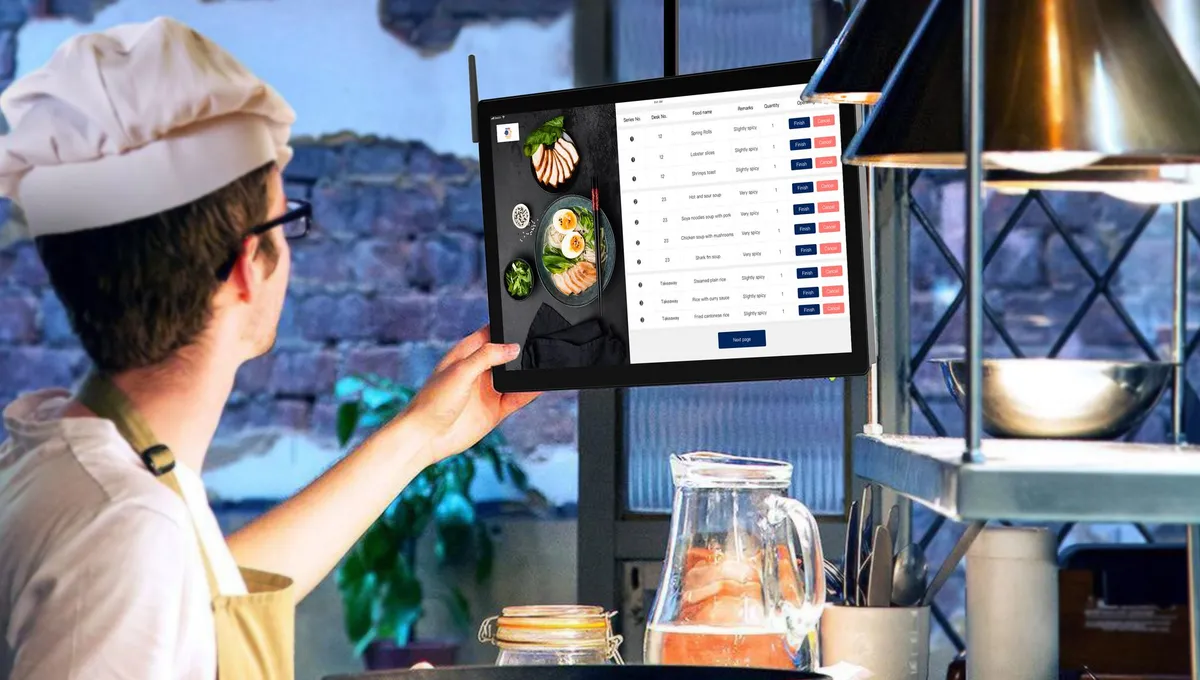
A proper QR menu system for franchises works like the brain of the chain. You set the rules and the dashboard applies them everywhere.
You change the price of an espresso in the central dashboard and within 30 seconds all 12 locations show the new price. No emails, no phone chains, no mistakes.
This is the leverage you need as you grow. Without it, every new location eats up more and more of your energy.
6 features you need for menus across multiple locations
Before you pick a platform, make sure it covers these 6 points. If even one is missing, you will pay for it in time and in chaos:
- Central menu management: one master menu becomes the source of truth. Locations deviate only where you allow, like local offers, without touching the core structure.
- Brand consistency by default: logo, colors, fonts and images locked at chain level.
- Role-based permissions: the local manager sees only their own location. They turn dishes on or off when they run out, but cannot delete categories. You see everything.
- Analytics per location and the full picture: which location gets the most scans, which dish wins in Patras and falls flat in Chania.
- Bulk updates: 'from Monday beer is +10% everywhere' with one click, and a temporary 'unavailable' at a single location without affecting the rest.
- POS integration: if the till knows a product ran out, the menu should learn it on its own. In a chain of 10+ locations, manual updating is a guaranteed error.
How it works in practice: an example from a coffee chain
Here is a typical day in a chain of 8 cafes running on a central digital menu:
- Monday 09:00: the owner raises the freddo price from 3.50 to 3.80 euros in the master menu.
- 09:00:30: all 8 locations show the new price. The QR codes stay the same.
- 09:15: the manager in Pangrati sees that bananas ran out. One click and the product becomes unavailable only there.
- 13:00: the central analytics show the new smoothie is winning in 6 of the 8 locations, but not in the 2 by the beach. The owner swaps it there for a more summery cocktail.
- 20:00: the day went by with no phone calls, no emails, no mistakes.
That is exactly what you gain from a proper system: you do more by doing less.
Numbers that justify the investment
If you run a chain, the payback comes down to a simple exercise:
- Printing: a chain of 10 locations with 4 refreshes per year and 150 euros per print pays 6,000 euros a year. With a digital menu, zero.
- Management time: 30+ hours a month on emails and change confirmations cost you 750 euros a month.
- Pricing errors: 1-2 errors a month per location, with an average compensation cost of 15 euros, reach 200 euros a month.
- Higher average check: chains with digital menus and photos report an 8-15% rise in the average check, according to international restaurant research.
An Enterprise plan usually pays for itself in less than 2 months. From there on, it is pure profit.
5 questions before you pick a platform
Before you commit to any system, ask for clear answers:
- How fast does a change apply across all locations? Right answer: in real time, not 'within the day'.
- Do you give different permissions per role? Right answer: yes, with granular permissions.
- Do I get analytics per location and overall? Right answer: yes, with export for reports.
- Do I pay per location or a single fee? Right answer: one price for the whole chain, with no hidden costs.
- Is there support in Greek? Critical when something goes wrong on a Friday night at 22:00.
If the platform does not pass all 5 questions, look elsewhere.
Your chain needs a brain, not chaos
When you run many locations, the biggest threat is not the competition. It is the gradual loss of control that creeps in quietly, every time you add one more location.
A proper QR menu system for franchises is not just a 'nice to have'. It is the infrastructure that lets you grow without losing quality. From 5 locations to 50, with the same rules and the same speed.
For the whole chain, see the Enterprise plan and the prices. For ideas by business type, take a look at the use cases. And if you want specific tactics, continue with the 10 smart solutions for franchises.