
Create your account
Signup happens on the Loudlink registration page and takes a few minutes.
- Open the registration page and fill in your personal details: name, email and password.
- Check your inbox and click the confirmation link in the email.
- Once confirmed, your account is ready to log in.
The email you enter here is your login email. You set the public store email later, in the store details.
Log in to the admin panel
You log in on the admin panel login screen.
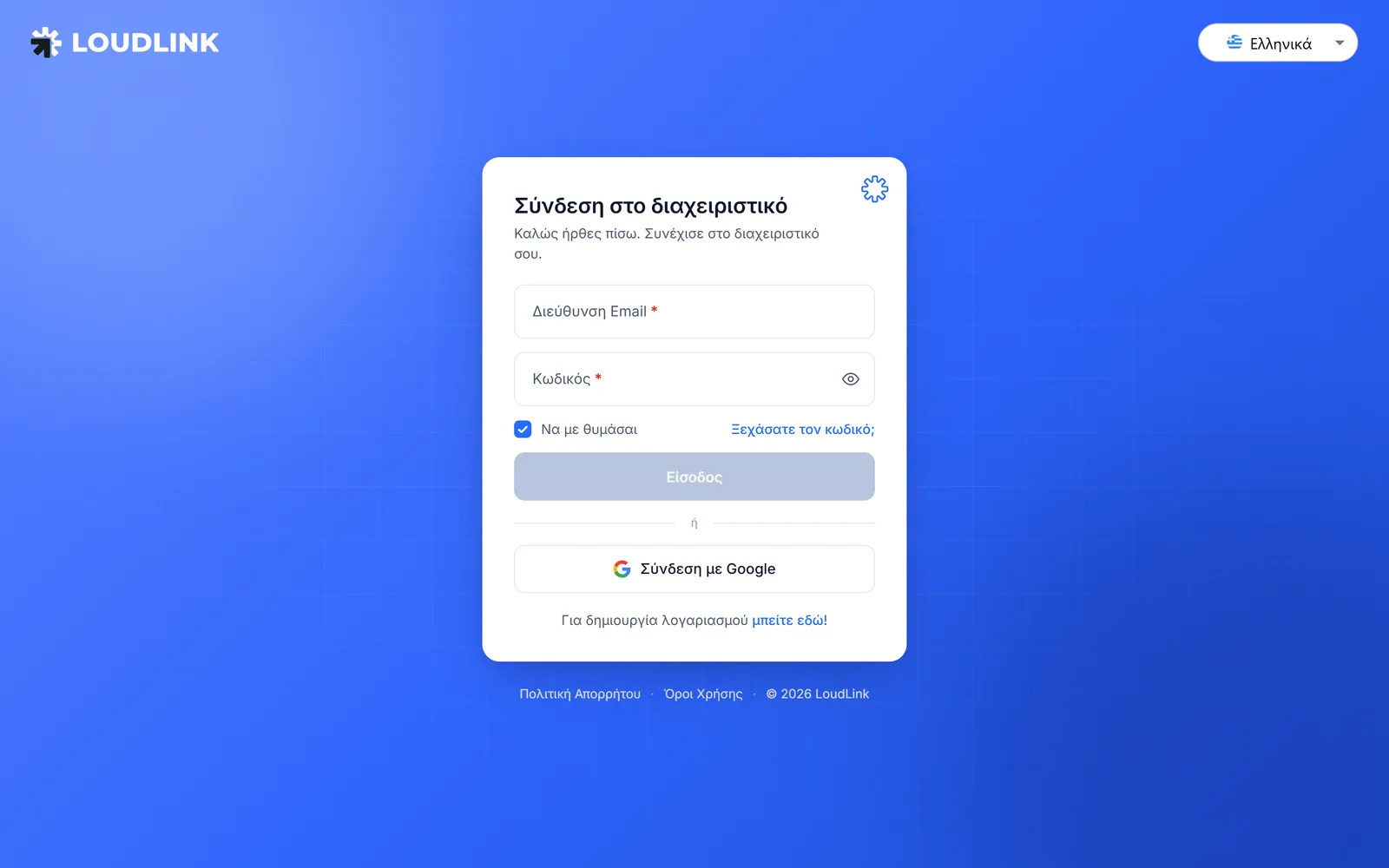
- Enter the email address of your account.
- Type your password.
- Check “Remember me” to stay logged in on your device.
- Click the login button.
Forgot your password? Use the forgot password link and follow the instructions sent to your email.
Sign in with Google
If you prefer, sign in with one click through the “Sign in with Google” button. No extra password needed.
No account yet? Below the form there is a link to create one.
What comes next
On your first login the setup wizard opens, with 5 short steps: store details, languages and socials, information, menu design and finish.
Continue to the next guide for the store details.
Need help?
If something does not work out, do not waste time. Our team replies fast to every question.