
Menu languages
In the store information step you pick the display languages of your menu.
Greek is the source language. Your content is translated automatically into the languages you enable.
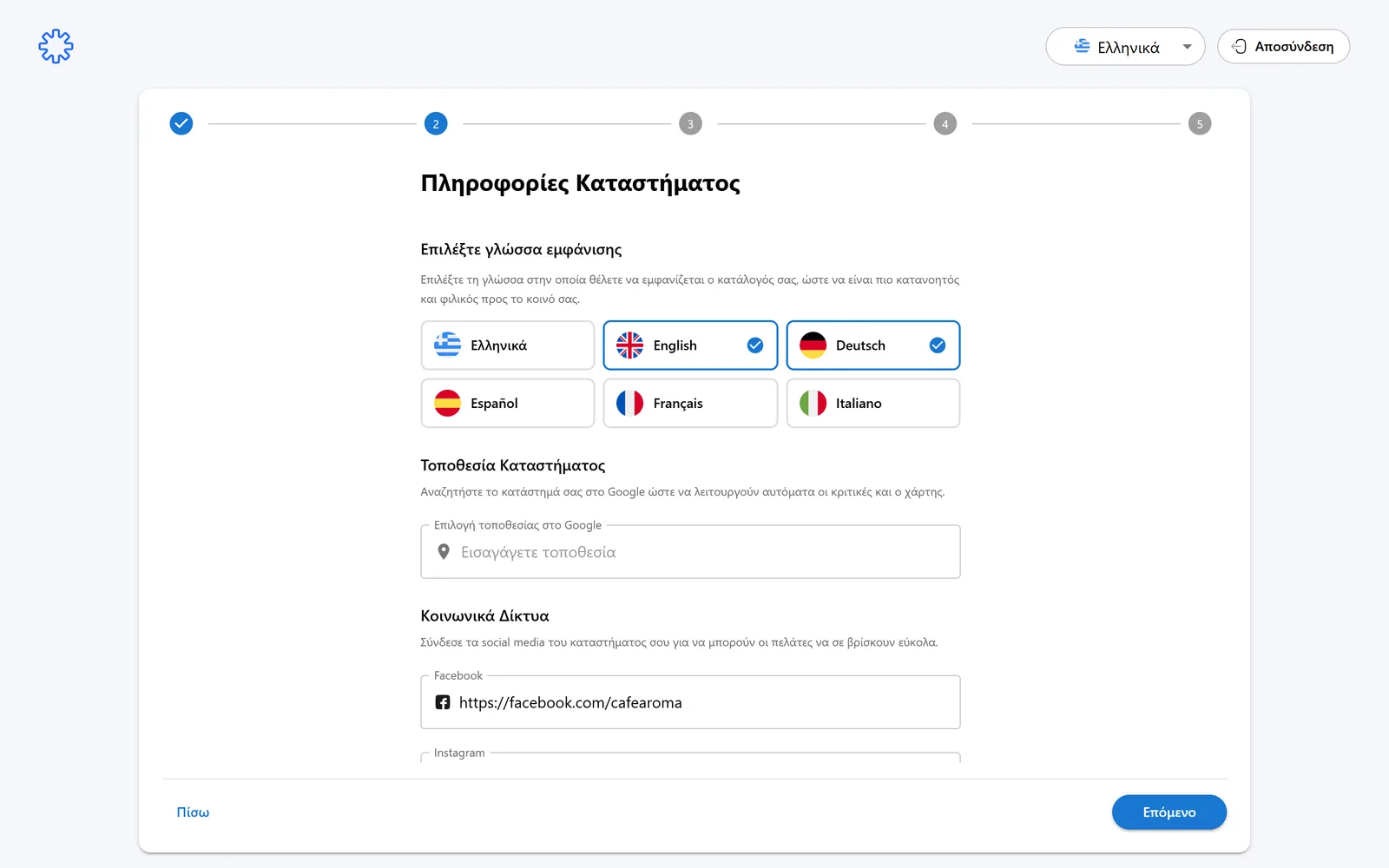
- Available languages: Greek, English, Deutsch, Español, Français, Italiano.
- Enable the ones your audience needs, e.g. English and German for tourists.
You write the menu once in Greek. Translations are generated automatically and you can correct anything.
Google location
In the Google location picker you search for your store.
With the right location, the map and the Google reviews work automatically on your menu.
Social media
Connect your store socials. Their icons appear on the menu your customers see.
- TikTok
- TripAdvisor
- Google Business
All fields are optional. Fill in only the ones you actively use.
Manager, Wi-Fi, hours and payments
In the next step you fill in practical information for your customers.
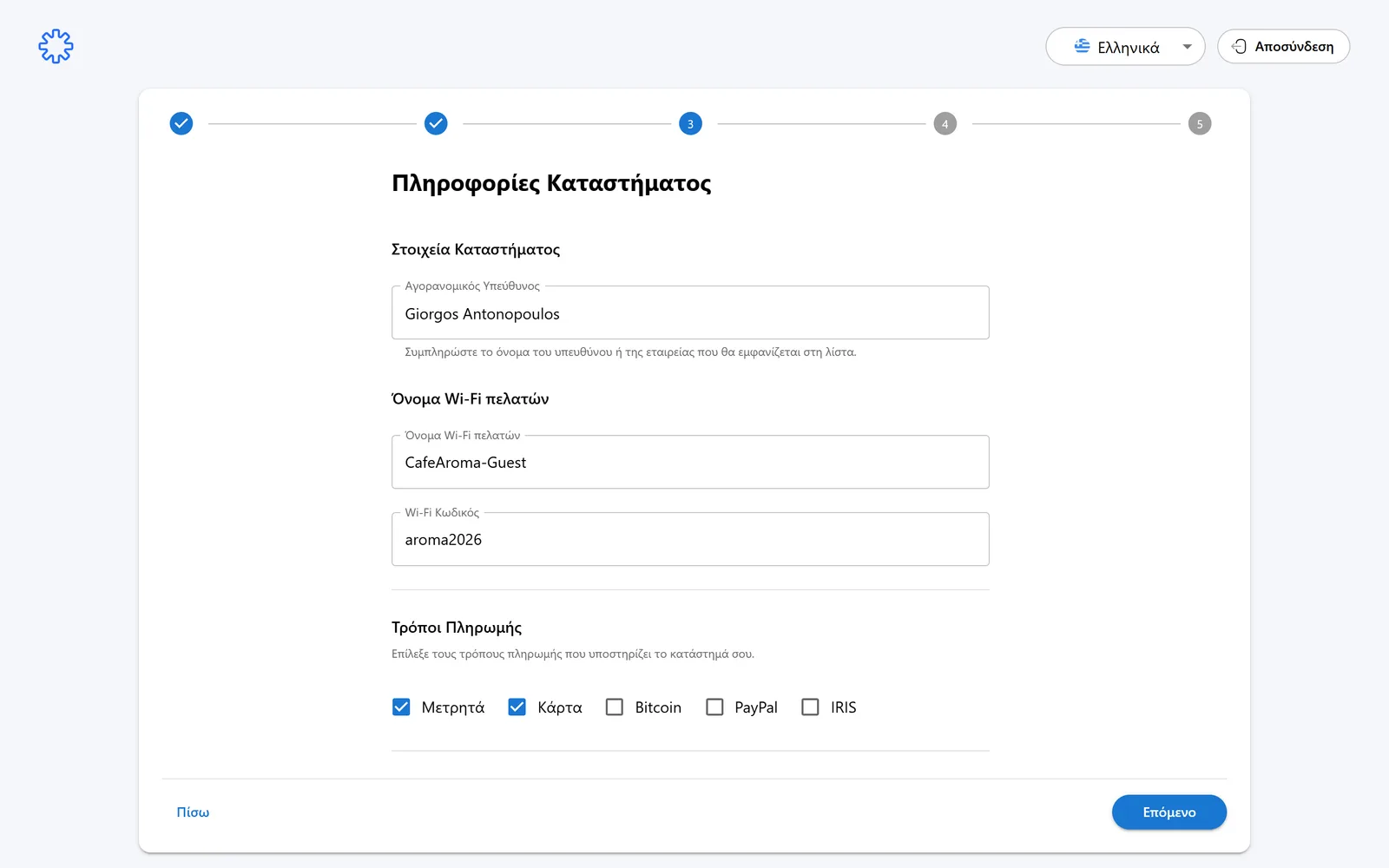
- Market inspection manager: the name of the responsible person or company shown on the menu.
- Customer Wi-Fi name and Wi-Fi password: shown on the menu so customers connect easily.
- Opening hours per day. The default is 09:00 to 22:00.
- Payment methods: check the ones your store accepts, e.g. Cash and Card.
Click “Next” for the menu design step.
Need help?
If something does not work out, do not waste time. Our team replies fast to every question.