
The Products Board
After you log in you see the Products Board: your menu exactly as customers see it, organized by category.
If you chose starter products during setup, the menu already has content, e.g. Water and Coffee with Espresso, Freddo Espresso and Cappuccino.
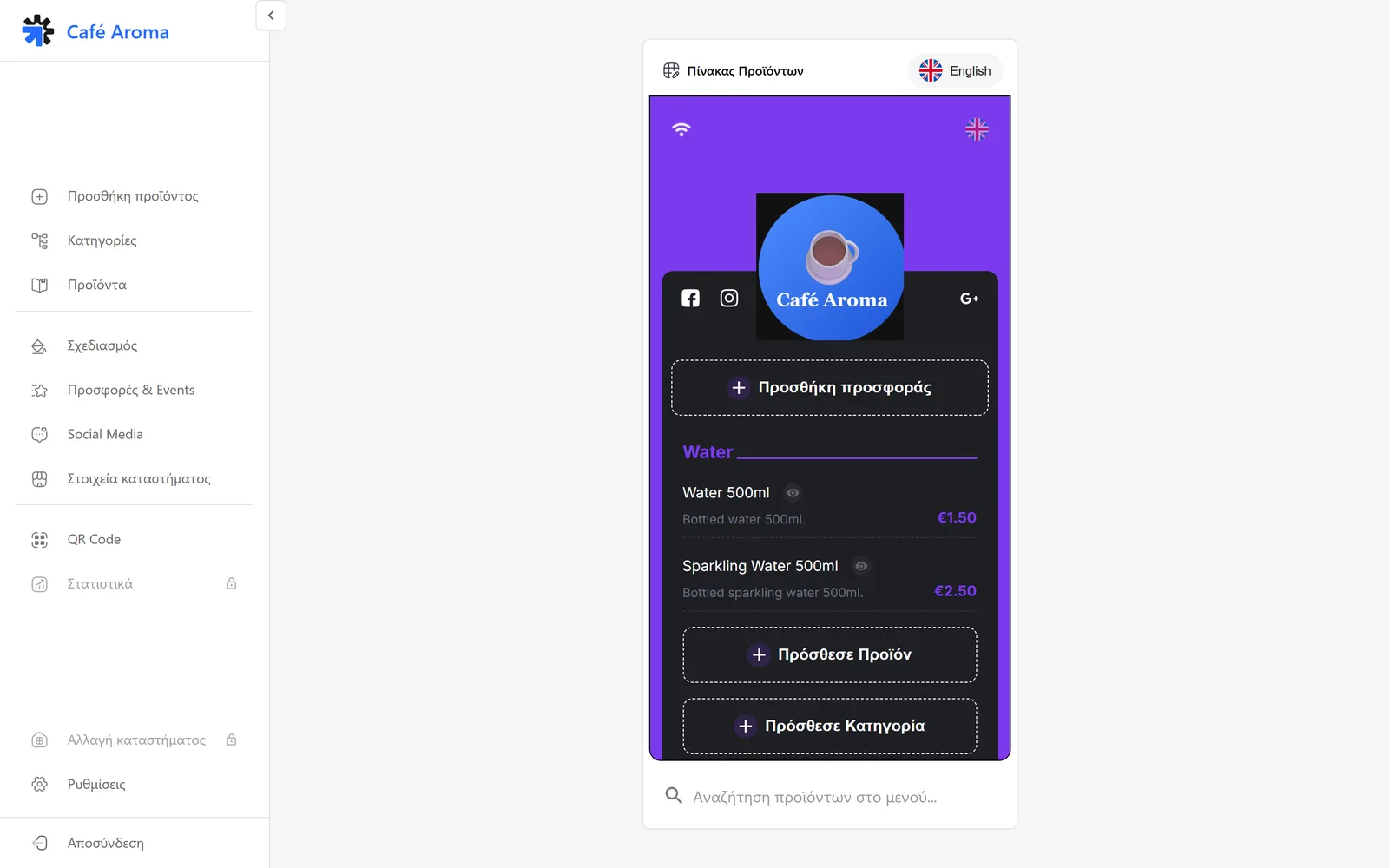
- Every product shows its name, description and price.
- The add product button adds a product directly from the preview.
- The add category button opens a new category.
- The language tabs, e.g. English, show the menu in every language.
- The product search finds any product in the menu instantly.
The left menu
From the left menu you reach every section of the admin panel:
- Add product: a new product with the full form.
- Categories: create and organize categories.
- Products: all your products in one list.
- Design: the look of your menu.
- Promos & Events: promotional images inside the menu.
- Social Media: your social network links.
- Store details: information, Wi-Fi and contact details.
- QR Code: the QR and the public link of your menu.
- Statistics: view data, available depending on your plan.
- Switch store: move between stores, depending on your plan.
- Settings: account, support and admin panel language.
The guided tour
On your first visit a short 16 step tour shows you where everything lives.
Tip
Replay it anytime: open Settings and pick the tour option.
Everything is live
- Whatever you change appears instantly in the preview.
- The QR always leads to the latest version of the menu.
- You never need a new QR when you change prices or products.
Need help?
If something does not work out, do not waste time. Our team replies fast to every question.